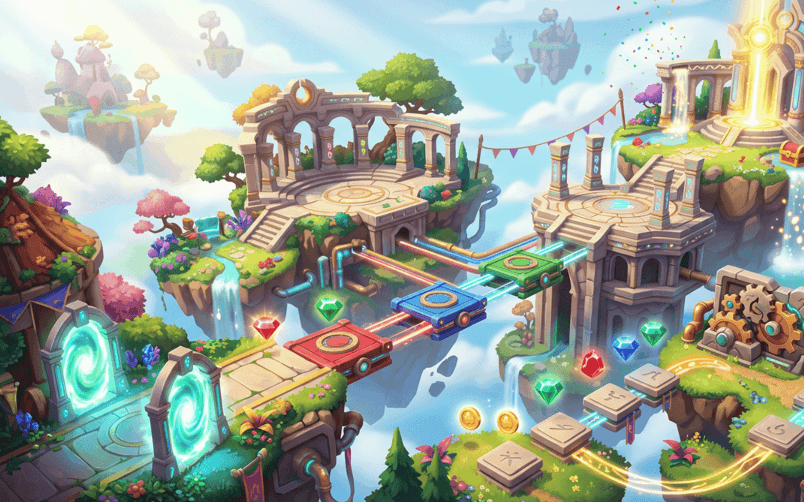
Building a game without being a developer is more realistic in 2026 than it was a few years ago. AI game makers, no-code tools, visual editors, and browser-based platforms can help beginners turn a simple idea into a playable prototype without writing traditional code.
But the honest truth is that creating a game is still work.
AI can help generate mechanics, visuals, levels, and basic logic. It can explain technical problems and speed up experimentation. It cannot automatically decide whether the game is fun, whether the difficulty is fair, whether the controls feel good, or whether players will want to return tomorrow.
That part still belongs to the creator.
The biggest change is that you no longer need to learn every technical skill before testing your first idea. You can begin with a small concept, build a basic version, and learn game design through practical experimentation.
What non-developers can realistically build
A beginner can create many types of small and medium-sized games with current AI and no-code tools, including:
- Platformers
- Puzzle games
- Endless runners
- Arcade shooters
- Racing prototypes
- Obstacle courses
- Physics experiments
- Simple strategy games
- Educational games
- Interactive stories
- Casual simulation games
- Short browser experiences
These tools are especially useful for games with a clear core mechanic. A project based on jumping, collecting, aiming, avoiding, driving, or surviving is easier to prototype than a massive role-playing game with complex systems and hundreds of characters.
Some current platforms publicly describe a workflow where creators explain a game in plain language, receive a playable version, and then refine it through additional prompts or visual controls. Rosebud, for example, says its AI game maker can generate code, art, sound, and browser-playable projects while allowing creators to edit the result.
That does not mean the first result is ready to publish. It means the distance between an idea and a testable prototype is much shorter.
What “non-developer” really means
Being a non-developer does not mean you have no useful skills.
You may already understand:
- What type of games you enjoy
- What makes a mechanic satisfying
- Which visuals attract players
- How difficulty should increase
- What makes a game easy to understand
- Why players replay certain challenges
- How to explain an idea clearly
Those are valuable game design skills.
The technical side is only one part of creating a successful game. A programmer can build a working system, but that system still needs a purpose. A creator has to decide what the player should feel and why the game deserves attention.
In 2026, AI can help reduce the technical barrier. It does not remove the need for creative direction.
The first challenge is choosing a manageable idea
The easiest way to fail as a solo creator is to start too big.
You might imagine:
- A huge open world
- Multiple playable characters
- Dozens of enemy types
- Online multiplayer
- A deep economy
- Complex quests
- Custom animations
- Voice acting
- Hundreds of levels
That is too much for a first project.
Start with one simple sentence:
Create a 3D exploration game where the player controls a drone through a neighborhood and completes short flying challenges.
This sentence gives you a starting point without forcing you to build everything at once.
A manageable first game should have:
- One main player action
- One clear objective
- One environment
- A small number of challenges
- A simple success condition
- A quick restart or replay option
You can expand the project after the first version works.
The core gameplay loop matters more than the feature list
The core gameplay loop is the repeated experience that defines the game.
For a flying game, it might be:
- Take control of the vehicle.
- Move through the environment.
- Avoid obstacles.
- Explore or reach a target.
- Complete a challenge.
- Try a harder route.
For a platformer, the loop may involve jumping, collecting, avoiding hazards, and reaching the finish.
For a puzzle game, it may involve studying the board, making a move, learning from the result, and trying again.
Before adding menus, shops, skins, achievements, or social features, test whether the main loop is enjoyable.
Ask:
- Does the player understand what to do?
- Do the controls feel responsive?
- Is the challenge fair?
- Does the game provide useful feedback?
- Is there a reason to try again?
A small game with a strong loop is more promising than a large game with disconnected features.
A drone-based example
Drone Attack is described as a 3D drone piloting game set in a detailed neighborhood environment. Players control the drone’s movement, making the experience a combination of skill-based flying and low-pressure exploration.
For a non-developer, this type of game can be divided into simple development stages.
Stage one: basic movement
Create a drone that can move forward, backward, left, right, up, and down.
Stage two: camera control
Add a camera that allows the player to understand the drone’s direction and surroundings.
Stage three: exploration area
Create a small neighborhood with visible landmarks and open routes.
Stage four: flying challenge
Add rings, checkpoints, landing zones, or time-based objectives.
Stage five: feedback
Use sound, color, or messages to show when the player reaches a target.
Stage six: expansion
Add more routes, environmental details, optional challenges, or a higher difficulty mode.
The supplied summary describes the game’s drone control and exploration concept, but it does not confirm the tools used to create it, the identity of its creator, or any multiplayer functionality.
What AI can help you do
AI is most useful when you treat it as a development assistant.
It can help you:
- Turn a broad idea into a design brief
- Suggest simple gameplay loops
- Generate prototype mechanics
- Create basic level concepts
- Explain unfamiliar game design terms
- Adjust speed, gravity, or difficulty
- Suggest visual styles
- Write game instructions
- Identify possible problems
- Create variations of a level
- Organize a development checklist
You can ask questions such as:
- How can I make the drone controls easier for beginners?
- What should the first level teach?
- How can I make exploration more rewarding?
- What obstacles would create challenge without frustrating players?
- How should the difficulty increase across five stages?
- What feedback should appear when the player completes a checkpoint?
The quality of the result depends heavily on the quality of your instructions. A vague request produces a vague result.
How to write better prompts
A useful game prompt should explain:
- The genre
- The player character
- The main action
- The goal
- The hazards
- The reward
- The visual style
- The target device
- The difficulty level
Weak prompt:
Make a drone game.
Stronger prompt:
Create a 3D drone exploration game set in a bright residential neighborhood. The player controls the drone’s movement in all directions and must fly through five checkpoints. Include trees, rooftops, streets, and open spaces as landmarks. Add a simple timer, a restart button, and gentle difficulty progression. Keep the controls smooth and make the first challenge easy for beginners.
The second prompt gives the AI something specific to build.
After the first version works, make focused requests:
- Make the drone movement slower during the first level.
- Add a clear visual marker above each checkpoint.
- Make the camera follow the drone more smoothly.
- Add two optional routes for experienced players.
- Keep the environment but increase the challenge in level three.
- Add a message when the player completes all checkpoints.
Small changes are easier to test than a complete redesign.
What AI cannot decide for you
AI may generate a working game, but it cannot reliably judge the player experience without clear testing criteria.
You still need to decide:
Is the game understandable?
Players should know what they are controlling and what they need to achieve.
Is the challenge fair?
A player should understand why they failed. Hidden obstacles and unpredictable controls quickly become frustrating.
Is the game visually readable?
Important objects, goals, hazards, and rewards should stand out from the background.
Is the game replayable?
Players need a reason to try again, such as a better score, a faster time, a new route, or a harder challenge.
Does the game have an identity?
A familiar genre can still succeed, but it needs a clear mood, mechanic, visual direction, or audience.
These decisions require observation and judgment, not just generation.
The first prototype will probably feel rough
This is normal.
Your first version may have:
- Uncomfortable controls
- Empty areas
- Repetitive tasks
- Weak sound effects
- Poor camera movement
- Unclear instructions
- Sudden difficulty changes
- Visual inconsistencies
- Bugs on certain devices
Do not treat these problems as proof that you cannot make games. Treat them as information about what needs improvement.
The first prototype exists to reveal problems while they are still cheap to fix.
How to test your game as a beginner
Ask someone who has never seen your project to play it.
Do not explain the controls immediately. Watch what they do.
Pay attention to:
- Where they stop moving
- Which buttons they press
- Whether they understand the objective
- Whether they notice the next checkpoint
- Whether they become confused by the camera
- Whether they know why they failed
- Whether they want to try again
Afterward, ask:
- What did you think the goal was?
- What felt confusing?
- What felt enjoyable?
- Was anything frustrating?
- Would you play another level?
- What would you change?
This type of test is more valuable than asking for general praise.
See also: Business Success Principles Every Founder Should Know
Choose tools based on your future plans
A beginner tool is not automatically the best tool for a long-term project.
Before choosing a platform, check:
- Can you edit the generated game?
- Can you save previous versions?
- Can you export the project?
- Do you own the code and assets?
- Can you publish commercially?
- Does it support the devices you want?
- Does it offer multiplayer features if needed?
- Are there generation or storage limits?
- Does it support analytics?
- Can players access the game easily?
Some platforms are ideal for quick browser prototypes. Others focus on mobile publishing, desktop export, visual editing, or source-code access.
For example, Exekite publicly promotes web, desktop, and mobile export options, while Max2D presents a phone-based creation workflow with visual editing and publishing options. These are platform claims, so review the current terms and features before building a serious commercial project around them.
You still need to learn basic game design
You do not need to learn a programming language before starting, but you should learn basic design concepts.
Useful topics include:
- Core gameplay loops
- Difficulty curves
- Player feedback
- Level pacing
- Reward systems
- Camera design
- User interface clarity
- Accessibility
- Playtesting
- Performance
These ideas help you give better instructions to AI and make better decisions when the generated result feels wrong.
A non-developer who understands game design can often create a more enjoyable experience than someone who knows code but has not considered the player’s needs.
A realistic solo creator roadmap
Use this process for your first project.
Step one: choose one idea
Write a one-sentence description of the game.
Step two: define the main loop
Explain what the player repeats during each session.
Step three: create one small prototype
Build one level, one arena, or one short challenge.
Step four: test the controls
Fix movement before adding content.
Step five: add a clear objective
Give the player something specific to complete.
Step six: introduce progression
Add more difficult routes, levels, or challenges.
Step seven: improve presentation
Use a consistent visual style and readable interface.
Step eight: test with real players
Observe confusion and frustration.
Step nine: check publishing requirements
Review ownership, export options, device support, and platform terms.
Step ten: release a small version
Do not wait for a giant project to be perfect. Publish a focused experience and learn from feedback.
The honest conclusion
You can build a game as a non-developer in 2026. You can create a prototype, test an idea, design small levels, adjust mechanics, and share a playable experience without having a full development team.
But you cannot avoid making decisions.
You still need to choose a good idea, keep the scope realistic, test the controls, observe players, fix problems, and decide what makes the game worth returning to.
AI and no-code tools make the starting line easier to reach. They do not guarantee that the game will be fun.
That is actually good news. It means you do not need to become a technical expert before you begin, but you still have room to develop the creative and design skills that make a game memorable.
Building a game without being a developer is no longer an unrealistic dream. It is a practical starting point for creators who are willing to begin small, test honestly, and keep improving.
